
- Where it is
- Home
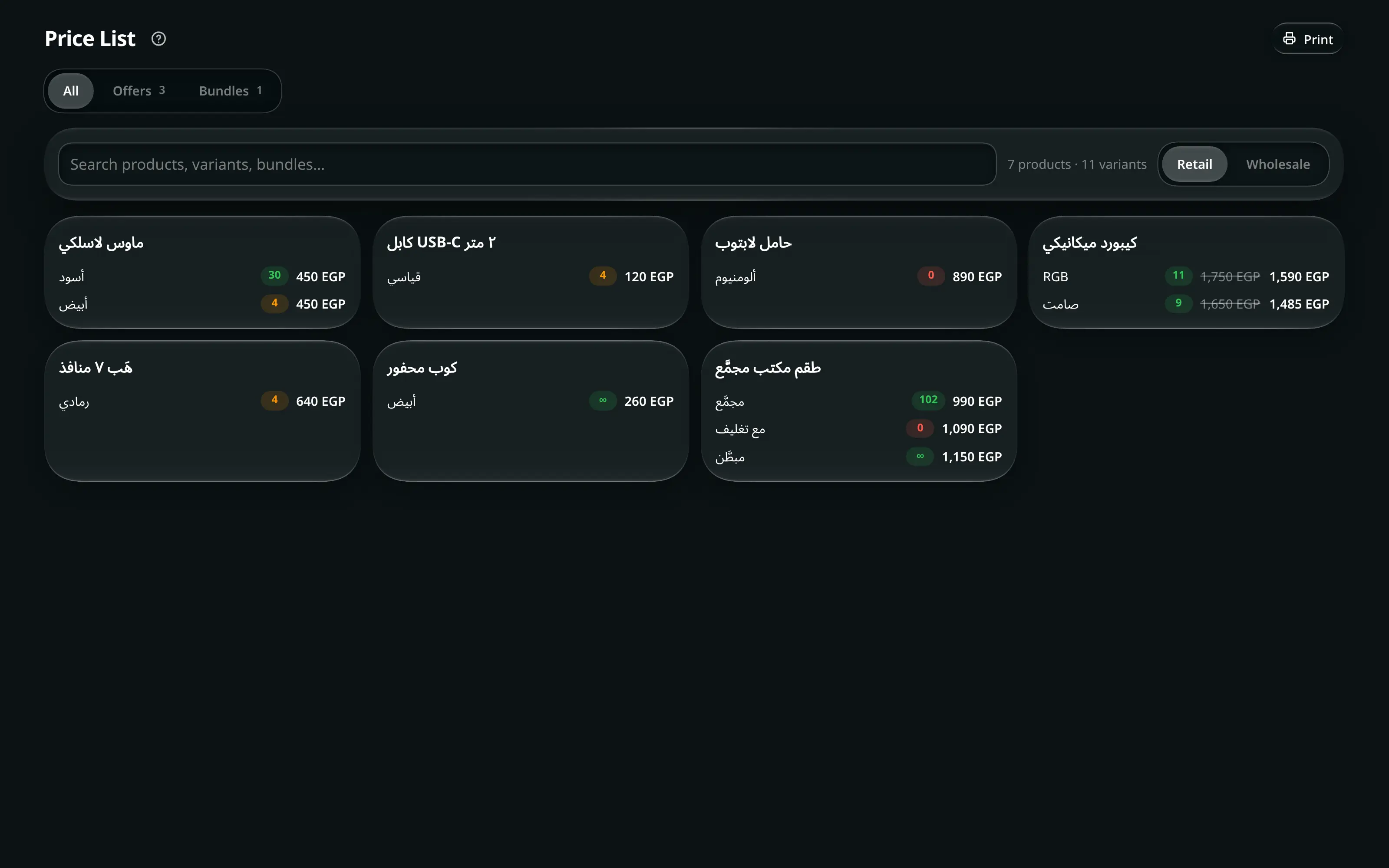
- Price List
- Who can open it
- EveryoneEveryone. Wholesale prices are visible to employees — that is deliberate, because they quote them.
- Tabs
- All
- Offers
- Bundles
- What it writes
- Nothing. It is a read-only screen, apart from printing.
A quoting screen. Someone asks “how much is this?” over the counter or on the phone, and this answers it without opening a product editor.
Prices themselves are edited in Resources, not here.
The three tabs
| Tab | Shows |
|---|---|
| All | Every product and every variant, with per-branch stock |
| Offers | Active per-item discounts, each with what the customer saves and Offer until |
| Bundles | Active bundle offers, with Available until |
An empty tab says which one is empty: No active offers or discounts. / No active bundle offers.
Retail or wholesale
- Price List
- Price mode
- Wholesale
Retail Wholesale re-prices the whole list. Everything below — the tabs, the search, the print sheet — follows the mode you picked, and a printed sheet in wholesale mode is titled Wholesale Price List so it cannot be handed to the wrong customer.
Finding an item
Search products, variants, bundles… matches all three at once.
Printing a price list
- Price List
The sheet is not “everything” by default. Tick what goes on it, with Select all / Deselect all and a search inside the dialog.
Pressing print with nothing ticked is refused: Select at least one item to print.
The output is formatted for paper, in the current price mode, carrying only the items you ticked.