
- Where it is
- Home
- Administration
- Who can open it
- EveryoneEveryone — but an employee sees a different screen, titled My Work, holding only their own schedule, attendance, leave, payslip, tasks and their own log entries.
- Tabs
- Overview
- People
- Attendance
- Leaves
- Payroll
- Tasks
- Activity Log
- What it writes
- User accounts, usernames, roles, branches, departments, schedules and pay rules
- Departments
- Attendance records and corrections
- Leave requests and their approval
- Salary advances, deductions and payslip payments — with a cash registry expense
- Tasks, one record per assignee
- Announcements, with their own expiry
- Employee documents, in the database and in storage
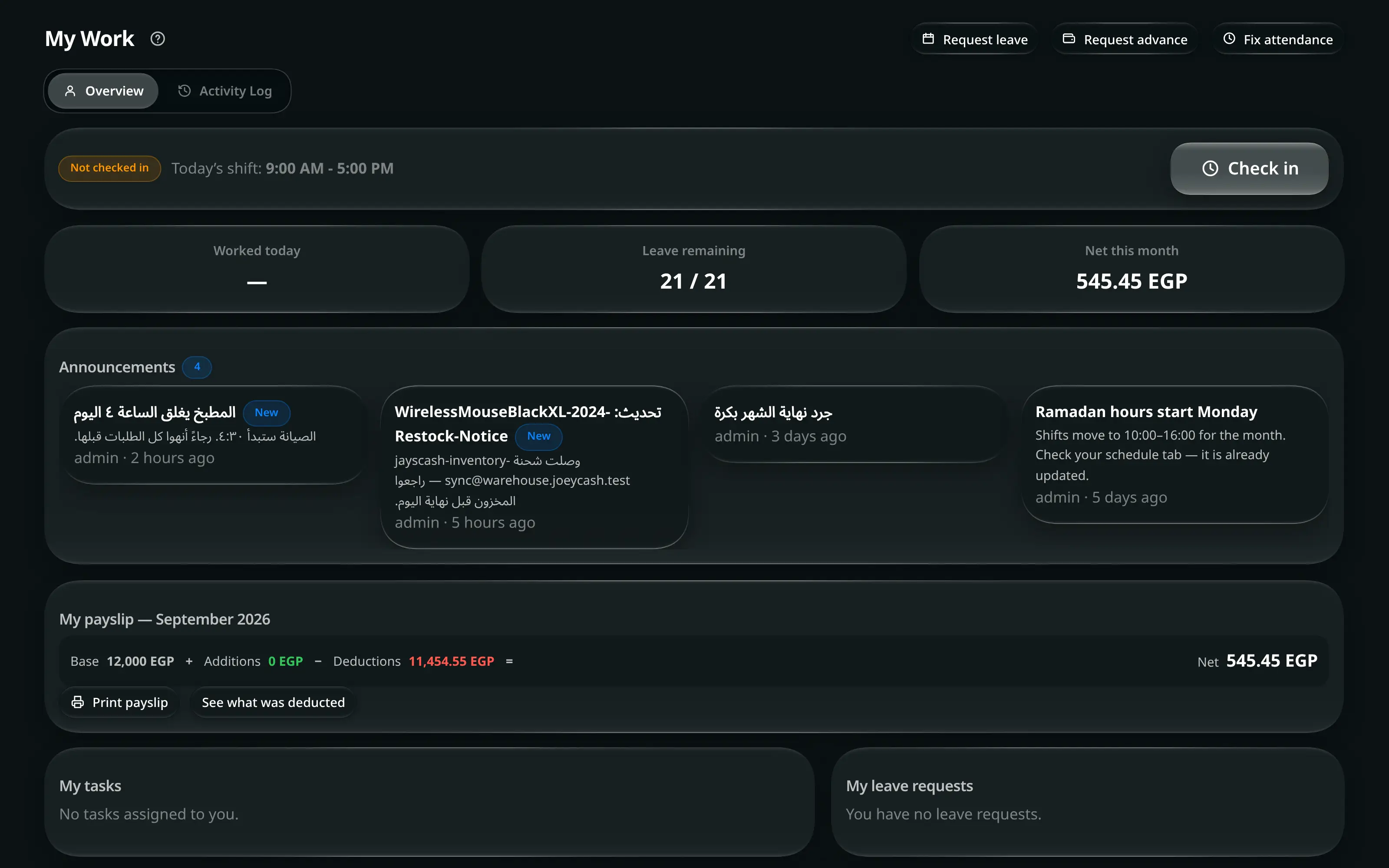
My Work — the same screen, on an employee’s account
An employee’s tile is called My Work, and it holds two tabs rather than seven: Overview and Activity Log. Everything on it is about them.
The card at the top is the punch clock. It states where you stand — On duty, Checked out or Not checked in — with Today’s shift beside it, which reads either the hours, On leave or Day off. The one large button is Check in, and Check out once you are on.
Under it, your own figures and lists:
| Card | Holds |
|---|---|
| Worked today · Leave remaining · Net this month | The three numbers, for you |
| My payslip | Base, Additions, Deductions and Net, with See what was deducted and Print payslip |
| My leave requests | Yours, as Pending · Approved · Rejected. Empty, it says You have no leave requests. |
| My tasks | Assigned to you, by deadline. Empty: No tasks assigned to you. |
| My documents | Your contract, ID and certificates, as filed by an administrator |
The three things you can ask for are in the title row, and they are requests, not actions: Request leave, Request advance, Fix attendance — the last one for the shift you forgot to clock in or out of.
Activity Log
The audit trail, most recent 200 entries, live.
| Role | Sees |
|---|---|
| Administrator | Everything, with filters by search, user, type and date |
| Employee | Only entries tied to their own orders. No filter card |
Each entry carries what happened, who did it, when, and — where the action was about an order — a link straight to that order.
The log is where a bulk edit and its undo appear as two separate lines. An undo does not erase the record of the change; it records that it was undone.