
- Where it is
- Home
- Suppliers & Workshops
- Who can open it
- Administrators onlyAn employee account cannot open this screen at all.
- Tabs
- Needs attention
- Suppliers
- Supply Orders
- Workshops
- What it writes
- Supplier and workshop records
- Supply orders, and stock when one is received
- A payment: the payee’s balance down, the documents marked paid, and ONE expense in the cash registry
Two kinds of payee, one kind of debt
They are on one screen because you pay them the same way, and the tabs say the difference in words:
- A supplier sells you goods. The debt comes from purchase invoices.
- A workshop does work for you. The debt comes from job labour.
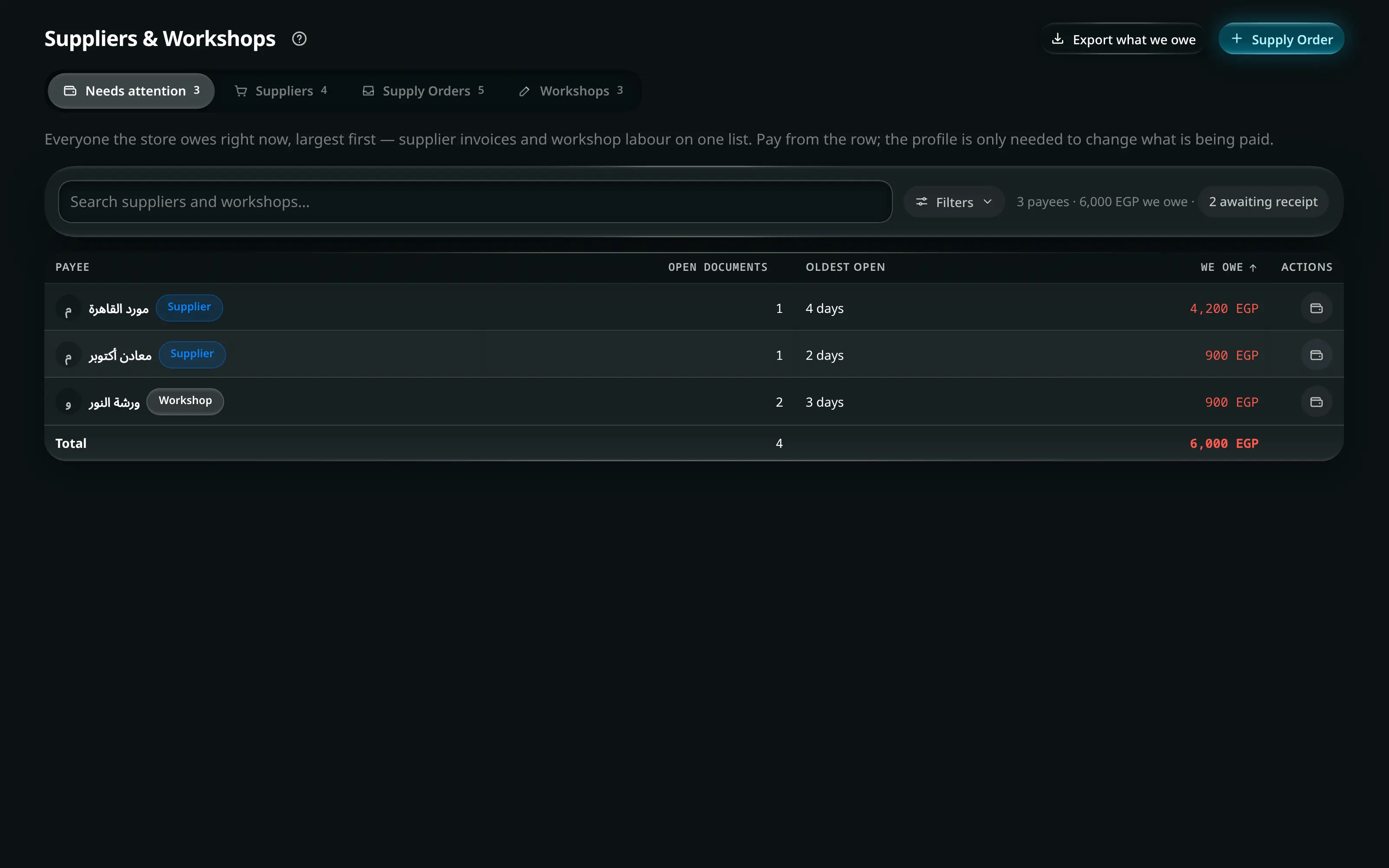
Needs attention
Everything with an open balance, both kinds together, with what you owe each payee and the oldest open document. Start here; the other tabs are for going deeper.
Export what we owe gives you the whole payables position as CSV.
Suppliers
Each supplier’s row carries their open supply orders, what you have bought from them and the balance. Sort by any of them, and with more than one supplier listed the totals row states the net first and then both directions underneath — we owe and in credit — because one supplier you owe and one who owes you net to nothing while still being two conversations to have. The same is true of the workshops list.
- Suppliers & Workshops
- Suppliers
- + Supplier
Name, phone, email and Address. Phone numbers are normalised to international form, so the same supplier saved twice with different prefixes is still one entry in a WhatsApp message.
Their running Balance due, total purchases, every supply order, and every payment.
A negative balance is labelled Supplier credit (advance) — you have paid ahead, and the app says which direction rather than showing a minus sign and leaving you to interpret it.
Pay debt or Pay supplier.
Tick the invoices you are settling, or enter a Payment amount. The dialog shows Paying out and lists Invoices that will change before the button.
Supply orders
A supply order is a purchase with a life: Pending → Received, or Cancelled.
The list sorts by any heading, and with more than one order on screen it ends with a totals row: the value of the orders and what is still owed on them. A cancelled order is not counted, and when the list holds one the totals row says so on its own label — a number that quietly drops rows is worse than no number.
- Suppliers & Workshops
- Supply Orders
- + Supply Order
Pick the Supplier, add lines with Add an item…, set quantities and unit costs, and record the Supplier invoice # (optional).
Add expense puts freight or customs on the order itself, so the landed cost is right rather than being a separate expense nobody links back.
Receive stock, then Receive into — which branch or warehouse.
Stock for every item on this order is added to the location you choose. Only a pending order can be received: Only a pending order can be received.
Pay this invoice from the order, or settle it with the rest from the supplier’s profile.
Workshops
A workshop is an outside maker. Jobs arrive here automatically: a workshop line on an order in Add Order creates the job when the order saves.
| Column | Means |
|---|---|
| Workshop | Its name, and specialty |
| Jobs | The queue, each tied back to the order that created it |
| Balance due | The unpaid labour |
Mark jobs done as they come back, and pay a workshop the same way you pay a supplier — Pay workshop, tick the jobs, one confirm, one expense.
A job that is already paid is locked: This job is already paid — reverse the payment to change it.
Exports
| Button | Gives you |
|---|---|
| Export what we owe | Every open balance, both kinds |
| Export suppliers | The supplier directory with balances |
| Export supply orders | Every order with its status and payment state |
| Export workshops | Workshops and their outstanding job fees |