
- Where it is
- Home
- Shipping & Delivery
- Who can open it
- EveryoneEveryone. An employee gets Needs attention and Delivery; the Shipping tab — the inter-city companies — is administrator-only, and their Needs attention lists delivery couriers only.
- Tabs
- Needs attention
- Shipping
- Delivery
- What it writes
- A settlement against each selected order
- One cash registry entry per settlement — income when they pay you, an expense when you pay them
- The courier’s running balance
Shipping and delivery are one screen
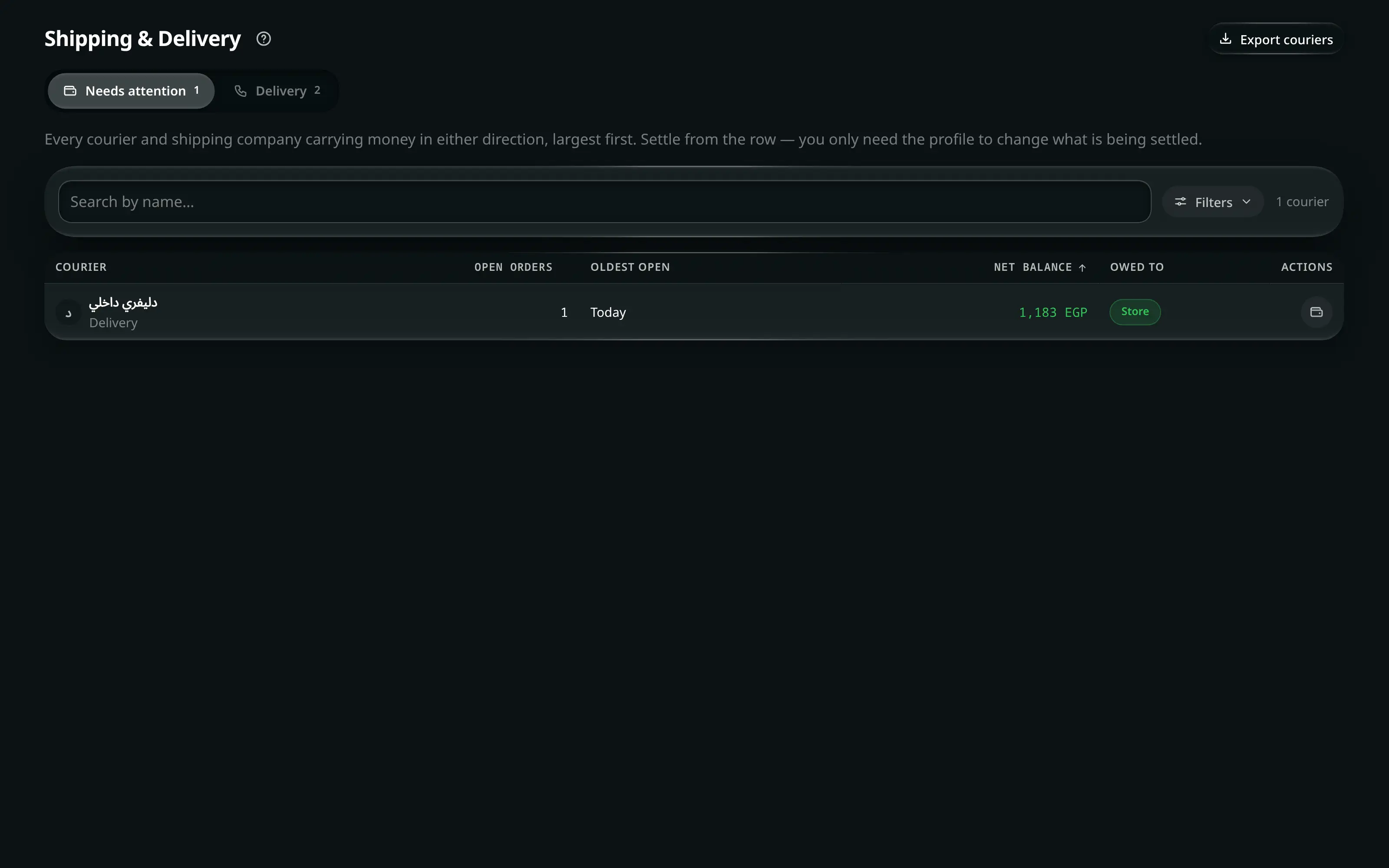
They are stored as one collection and split by a single flag, so they share one balance calculation, one profile and one settlement. The tabs state the difference in words rather than making you infer it:
| Tab | Scope |
|---|---|
| Needs attention | Every courier and shipping company carrying money in either direction |
| Shipping | Inter-city shipping companies — orders sent to other governorates. Administrator-only |
| Delivery | Local couriers — same-city delivery. Fees are flat per drop |
Reading the list
| Column | Means |
|---|---|
| Courier | Their name |
| Open orders | How many are unsettled |
| Oldest open | The age of the oldest — a courier at 40 days is a different problem from one at 2 |
| Net balance | Who is up, and by how much |
| Actions | Settle and |
A balance runs in one of two directions, and the screen names both:
- Due to store — they collected cash for you and have not handed it over.
- Due to courier — their fees exceed what they are holding.
- Cancels out — both sides reach the same total. Settling them books no money at all.
Filter by Owed to (Everyone · Store · Courier · Settled), by Min. balance, and by Shows (All couriers · Has open orders). Press a heading to sort by it; with more than one courier on screen, the list ends with a totals row.
Settling with a courier
- Home
- Shipping & Delivery
- a courier row
- Settle
Or open the profile first if you want to see the orders before deciding.
The panel splits the balance into its parts, and the words are the app’s own:
Line Means Cash they collected Money the courier took from your customers Fees & commission What you owe them for carrying it Net outstanding The difference, labelled In the store’s favour or In the courier’s favour Two tabs list the orders behind each side — They owe the store and The store owes them — plus Settled history for what is already done.
Two ways, and the panel offers both:
- Settle everything — everything open with this courier. It states Receiving … and Paying … before the button, and says they balance — no money changes hands when the two cancel out.
- Tick individual orders and press Settle selected. Use this when the courier is handing over part of what they hold.
Branch / safe — which safe receives the cash, or pays it out. Transaction type confirms the direction in words: Incoming — courier pays the store or Outgoing — store pays the courier.
Orders that cancel out
When a courier’s collections and fees are identical, the app offers to close both sets in one action — These orders cancel out exactly … settling them books no money at all — with Settle both sets. It is bookkeeping, not a payment.
Undoing a settlement
on a row in Settled history reverses it — the orders go back to open and the cash entry is reversed.
A manual entry
Manual entry records a settlement that has no orders behind it — a courier paying off an old balance, a fee agreed outside the order flow. It asks what is being settled, the direction, the amount and the safe.
Where the amounts come from
Nothing on this screen is typed into it. Each figure originates in an order:
| On the order | Becomes |
|---|---|
| Shipping company collects / Delivery driver collects in Add Order | The courier is recorded as holding that money |
| A settlement done from Current Orders without ticking collected now | The amount stays on the courier’s balance to be reconciled here |
| The shipping price on the order, against the company’s own rate | The fee side of the balance |
That is why Current Orders tells you, in those words, settle it in Shipping/Delivery when an order’s money belongs to a courier rather than to the till.
Exports
| Button | Gives you |
|---|---|
| Export couriers | The list, as CSV |
| Export statement | One courier’s full statement — every order, both directions, and what is settled |
A statement is what you print and hand over when a courier disputes a number.